AI Studios Review: Is This the Best All-in-One AI Video Generator? An Honest Breakdown
The surge in AI video creation tools has changed what’s possible for creators, marketers, agencies, and everyday users. But with so many AI tools launching every month, most people still struggle to find a platform that can actually produce professional-quality videos without endless editing, plugins, or expensive subscriptions.
That’s where AI Studios by DeepBrain AI stands out.
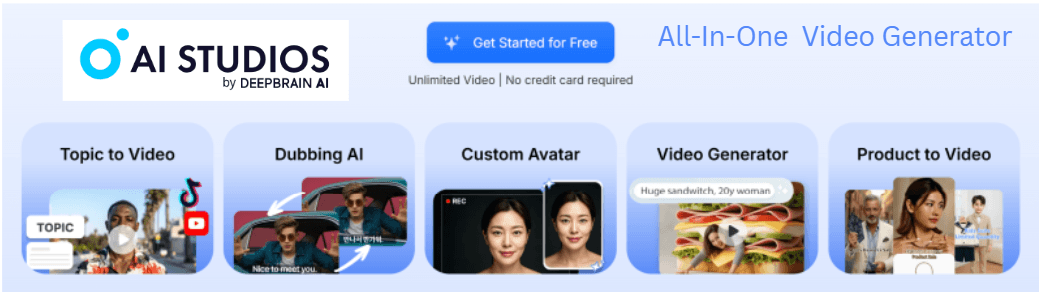
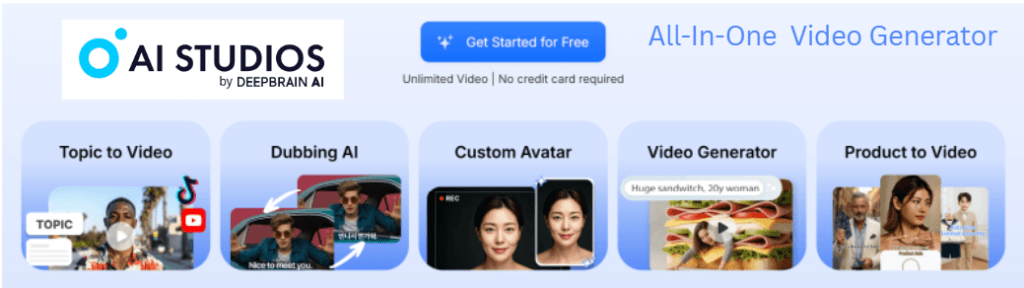
AI Studios combines AI avatars, video generation, dubbing, translation, voice cloning, script-to-video, product UGC videos, and custom avatar creation—all inside one intuitive dashboard. It’s designed to replace multiple tools you’d normally need for editing, recording, translating, voiceovers, and creative assets.
This review dives deep into what AI Studios offers, who it’s best for, the pros and cons, real user feedback, and whether it’s worth your investment.
What Is AI Studios?
AI Studios is an all-in-one AI video generator that builds full videos from:
- Text scripts
- Prompts
- Uploaded footage
- Product links
- Images
- Short video selfies
It includes over 2,000+ AI avatars, 150+ languages, voice cloning, lip-synced dubbing, 7,000+ templates, UGC video creation, and multi-language translation—all inside one platform.
Instead of needing 5–7 different apps (video editor, voiceover tool, dubbing tool, avatar generator, translation service, scripting tool, footage library), AI Studios merges everything into a single workflow.
This is why it’s loved by individuals and enterprise teams—including BMW, Pfizer, Intel, Samsung, HSBC, Lenovo, LG, 7-Eleven, AWS, and over 2 million users.
Key Features of AI Studios (Deep Dive)
Contents of This Page
1. Topic-to-Video
Turn an idea into a complete video automatically:
- Scriptwriting
- Stock footage
- AI narration
- Background music
- Captions
- Auto-editing
Perfect for YouTube Shorts, TikTok, Reels, educational content, or marketing.
2. Dubbing & Translation in 150+ Languages
This is one of AI Studios’ strongest features.
You get:
- Automatic lip-sync
- Voice cloning (your voice, any language)
- Accurate tone-matched translation
- Instant multi-language output
Creators love this for global content. Companies love it for training videos and onboarding.
3. Custom AI Avatars (From Your Face or Videos)
You can create your own avatar in three ways:
Photo Avatar
Turn a single photo into a speaking avatar.
Custom Avatar
Upload a short video clip → get a talking digital version of yourself.
Product Avatar
Have an avatar hold, interact with, or present a physical product.
This is perfect for brands, UGC ads, and faceless YouTube channels.
4. Product to Video (UGC Ads from Product Links)
Paste a product link → the AI:
- Writes the script
- Creates the avatar
- Generates the footage
- Builds a UGC-style ad automatically
This alone replaces agencies charging $500–$1,500 per video.
5. 2,000+ Ultra-Realistic AI Avatars
AI Studios offers the biggest, highest-quality avatar library in the industry.
Categories include:
- Teachers
- Business presenters
- Influencer-style characters
- News anchors
- Marketing spokespeople
- Customer support avatars
- Multicultural avatars
- Fashion and lifestyle creators
Most avatars look shockingly real.
6. Generative AI Image + Video Engine
You can create:
- AI videos from text prompts
- AI images for backgrounds
- AI visuals for storytelling
- Short realistic scenes
- Cinematic sequences (using Sora2 + Veo3.1 models)
This is amazing for:
- TikTok creators
- YouTube narrators
- Animations
- Ads
- Storytelling content
- Creative video projects
7. Enterprise Features
AI Studios is used by global businesses because it includes:
- ISO 27001, SOC2, GDPR compliance
- Unlimited team members
- Shared workspaces
- Automated video creation via API
- Dedicated success manager
- AI deepfake detection
- Real-time conversational AI avatars
This isn’t just a consumer app; it’s used at scale.
Why AI Studios Stands Out From Competitors
Here’s how it compares to other popular AI tools:
| Tool | Strength | Weakness |
|---|---|---|
| AI Studios | All-in-one: avatars, dubbing, translation, generation, editing | So many features—can feel overwhelming at first |
| Synthesia | Great for corporate training | More expensive, fewer features, limited creativity |
| HeyGen | Good avatars and dubbing | Missing full editor + templates |
| InVideo | Great for editing | No realistic avatars, weaker AI |
| Sora / Veo | Stunning scenes | Not designed for business videos or avatars |
AI Studios is the only platform that successfully combines:
✔ AI avatars
✔ AI dubbing
✔ AI translation
✔ Voice cloning
✔ Script-to-video
✔ UGC product videos
✔ Generative scenes
✔ Corporate governance & security
—All inside one workspace.
Who AI Studios Is Perfect For
✔ Content Creators
Make faceless YouTube channels, TikTok content, shorts, educational videos, and more.
✔ Business Owners
Create promotional videos, ads, presentations, product demonstrations.
✔ Agencies & Freelancers
Sell avatar videos, dubbing, UGC ads, and translations as paid services.
✔ Educators
Build multilingual training materials, courses, and slides-based lessons.
✔ eCommerce Stores
Turn product links into UGC-style ads in minutes.
✔ Corporations
Centralize training, onboarding, compliance, and internal video creation.
Real User Testimonials (Summarized)
Reviews consistently highlight:
- Easy interface
- Surprisingly realistic avatars
- Massive time savings
- Accurate translations
- Unlimited video creation
- Professional-quality results
- Perfect for those who don’t want to be on camera
Users in marketing, IT, education, animation, finance, and content creation all rate it highly.
Pros & Cons
Pros
- All-in-one AI video platform
- Over 2,000 ultra-realistic avatars
- 150+ languages with lip-sync
- Custom avatars from your face
- Product-to-video UGC generator
- Great for beginners
- Unlimited videos on paid plan
- Enterprise-ready security
- Used by major global brands
Cons
- Many features—can feel like a learning curve
- Must upgrade for advanced features
- Some avatars look more realistic than others
- Browser-based editing requires good internet
Pricing Breakdown
AI Studios offers:
- A Free Plan with unlimited videos (watermarked, credit-limited)
- Affordable monthly or yearly plans
- Optional credits and enterprise packages
This makes it one of the best-priced AI video generators in the entire industry—especially considering the avatar realism and dubbing quality.
Final Verdict: Is AI Studios Worth It?
Absolutely — especially if you want a video creation tool that does it all without jumping between apps.
AI Studios is:
- Surprisingly realistic
- Fast
- Beginner-friendly
- Enterprise-capable
- Packed with features
- Constantly evolving
- Trusted by global brands
- A complete replacement for multiple tools
Whether you run a YouTube channel, online store, agency, coaching business, or global workforce—AI Studios delivers unmatched video creation power at a fraction of traditional costs.
If you’re looking for an all-in-one solution to create videos without filming yourself and without spending hundreds on editing tools, AI Studios is one of the best investments you can make.